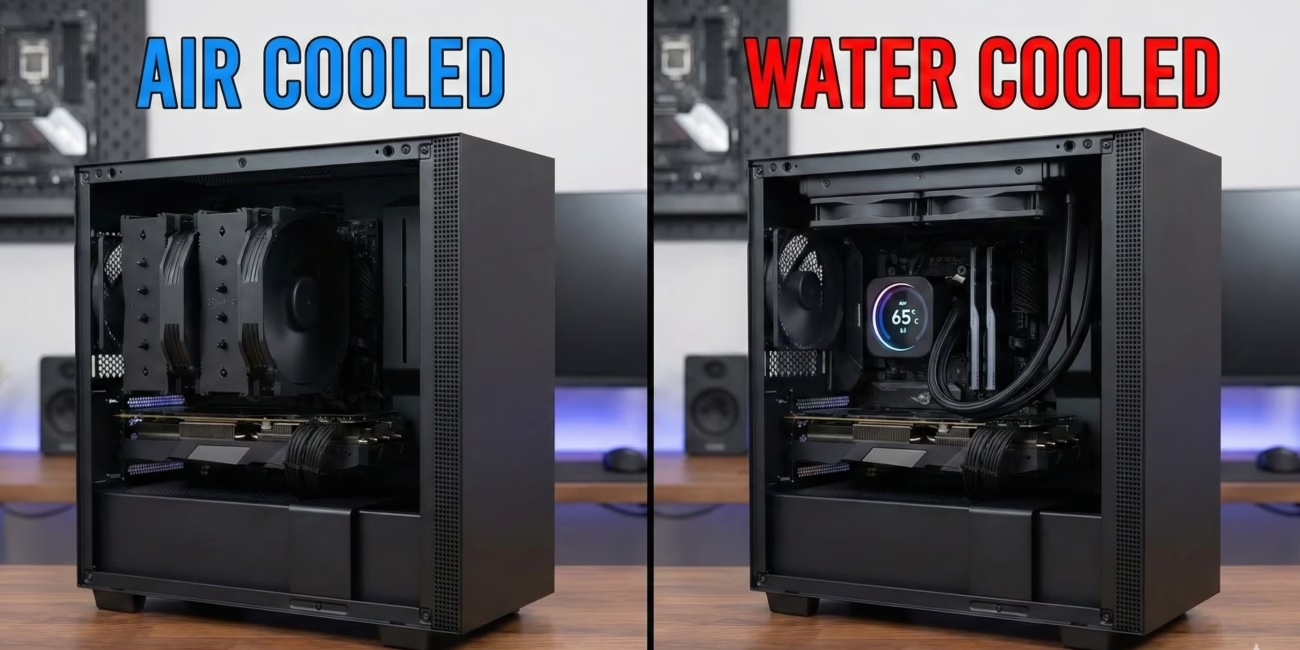
If you have looked at a high-end PC build tutorial lately, you might think water cooling is mandatory. Between the glowing tubes, the massive radiators, and the endless marketing about “thermal throttling,” it’s easy to feel like sticking with an air cooler is living in the Stone Age.
But here is the truth that component manufacturers don’t often shout about: for 90% of PC users in 2026, water cooling is a luxury, not a necessity.
I have built systems ranging from budget office rigs to dual-loop workstations, and I’ve seen the industry shift back and forth. While chips have undoubtedly gotten hotter, cooling technology has also evolved. Before you spend $200 on an All-In-One (AIO) liquid cooler, let’s break down what your PC actually needs versus what looks cool on Instagram.
The Heat Reality of Modern Chips
It is true that modern processors (CPUs) and graphics cards (GPUs) are pushing thermal limits. We are seeing flagship chips from Intel and AMD that routinely hit 95°C under load by design. They are built to boost until they hit a thermal wall.
However, “hitting the wall” doesn’t mean your PC is melting. It just means the chip is intelligently managing its speed.
In real-world use, a high-quality air cooler can handle this behavior just fine. The difference in performance between a top-tier air cooler and a standard 240mm water cooler is often negligible—maybe 2-3% in benchmark scores. Unless you are chasing world records, you likely won’t notice that difference in gaming or daily tasks.
The Case for Air Cooling: Simplicity Wins
There is a reason why server farms and mission-critical workstations often stick to air cooling: reliability.
An air cooler is essentially a block of metal with a fan. There is almost nothing that can break. If the fan dies in five years, you replace it for $20.
Water cooling adds several points of failure:
- The Pump: The heart of an AIO unit. If this fails (and they do eventually), your PC overheats instantly.
- Permeation: Over time, liquid slowly evaporates through the tubes. A 5-year-old AIO will not perform as well as a new one.
- Leakage: While rare in modern AIOs, a leak is a catastrophic failure that can kill your motherboard and GPU.
From practical experience, the peace of mind of an air cooler is underrated. You can install a massive dual-tower cooler today and confidently ignore it for the next decade, apart from occasionally blowing out the dust.
When Water Cooling Actually Makes Sense
So, is water cooling a scam? Absolutely not. There are specific scenarios where I would genuinely recommend it.
1. The “Small Form Factor” (SFF) Build
If you are building a PC inside a shoebox-sized case (Mini-ITX), airflow is restricted. A bulky air cooler simply won’t fit, or it will just recirculate hot air. An AIO is brilliant here because it allows you to move the heat source (the radiator) to the edge of the case where fresh air is available.
2. Sustained Professional Workloads
Gamers rarely max out their CPU for hours. Video editors and 3D renderers do. Water has a higher “thermal capacity” than air. It takes longer to heat up. If you are rendering a 4K video for three hours, a large 360mm water cooler will keep the system quieter and slightly cooler than an air cooler, which would have its fans screaming at 100% speed the entire time.
3. Aesthetics
Let’s be honest—this matters. A sleek CPU block with an LCD screen displaying your frame rate looks futuristic. A giant block of aluminum fins covers up your fancy motherboard and RAM. If you are building a showpiece, water wins.
The Hidden Downsides of Water
Beyond the risk of leaks, there are two annoyances with water cooling that people rarely mention until they own one.
Pump Noise: Fans make a “whoosh” sound that acts as white noise. Pumps, however, can make a high-pitched whine or a bubbling sound. In a quiet room, a buzzing pump is often more irritating than the soft hum of airflow.
VRM Cooling: An air cooler blows air over the CPU, but that moving air also splashes over the motherboard’s power delivery components (VRMs) surrounding the socket. Water blocks don’t do this. If you use an AIO, you need to ensure your case has good general airflow to keep those motherboard components from baking.
The Verdict for 2026
If you are a gamer or a standard user, you do not need water cooling.
A modern dual-tower air cooler (like those from Noctua, Be Quiet!, or DeepCool) offers the best balance of price, performance, and longevity. It will handle even an i9 or Ryzen 9 perfectly well for gaming loads.
Save the money you would have spent on a fancy liquid cooler and put it toward a better GPU or more storage. Your frame rates will thank you, and you’ll sleep better knowing there is no liquid inside your expensive electronics.
Choose Water Cooling If:
- You love the aesthetic.
- You are building in a tiny case.
- You render 3D scenes for hours daily.
Choose Air Cooling If:
- You want a “build it and forget it” system.
- You prioritize value and reliability.
- You are paranoid about leaks.

Other Articles

How Google Gemini AI is Changing Everyday Music Creation
Best Travel Wearables in 2026: Your New Passport to Adventure