Android May Soon Make Swapping Numbers as Easy as a Tap
We’ve all been there: you meet someone at a conference or a coffee shop, and the “awkward dance” begins. You either dictate your phone number while they type it in, or you struggle to find your own QR code in a menu three layers deep.
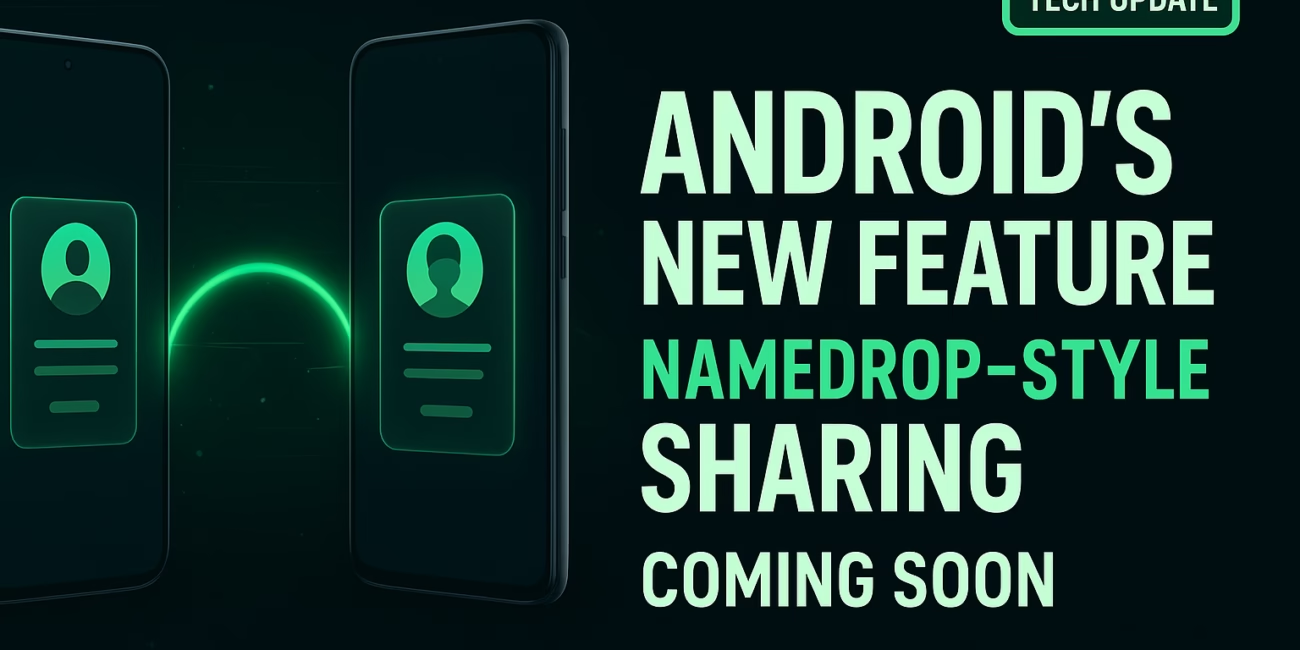
It looks like Google is finally working on a fix. Recent leaks within the Android ecosystem suggest a new feature is coming that will let you swap contact information just by bringing two phones close together. If this sounds familiar, it’s because it mirrors Apple’s “NameDrop” feature—and it’s a change that Android users have been wanting for a long time.
How the New “Contact Exchange” System Works
The tech behind this isn’t magic, but it feels close to it. According to bits of code found in Google Play Services, the feature (potentially called “Contact Gestures”) uses a mix of existing hardware and clever software.
The Role of NFC and Proximity
Most modern phones have NFC (the tech you use for tap-to-pay) and some higher-end models have Ultra-Wideband (UWB). When you bring your phone near another person’s, these sensors recognize the proximity. A small vibration or a visual “glow” on the screen will likely signal that the phones are ready to talk to each other.
Privacy Comes First
One concern people often have with “proximity sharing” is privacy. You don’t necessarily want to hand over your home address or private email to everyone you meet.
Early reports show that Google is building in selective sharing. This means you’ll get a pop-up asking exactly what you want to send. You might choose to share just your work number and LinkedIn profile while keeping your personal details hidden. You can also choose to “Receive Only” if you aren’t ready to share your own info back yet.
Built on a Solid Foundation
Instead of starting from scratch, Google is using the Quick Share (formerly Nearby Share) framework. This is great news because it’s already reliable and fast. It uses Bluetooth to find the device and Wi-Fi to send the data, making the transfer nearly instant.
Why This is a Game-Changer for Android
This isn’t just about “copying” a competitor; it’s about making the Android experience feel more polished and connected.
- No More Friction: In a business setting, this replaces the need for physical business cards. In a social setting, it eliminates the “text me so I have your number” routine.
- Wider Compatibility: Because this is being found in Google Play Services—the software that runs in the background of almost all Android phones—it likely won’t be restricted to just the newest Android 15 phones. Even older models could potentially get this update.
- Polished Ecosystem: It makes the Android experience feel “premium.” Having a smooth, built-in way to share info makes the whole OS feel more cohesive.
A Few Real-World Challenges
While the feature is exciting, there are a couple of things to keep in mind:
- Hardware Hurdles: Very cheap or much older Android phones might lack the necessary NFC chips, meaning they could be left out of the fun.
- User Habits: We’ve been manually typing numbers for decades. It might take a while for people to get used to the idea of tapping phones together.
- Security: Google will need to ensure that a stranger can’t “tap” your phone in a crowded subway and steal your contact card without you noticing. This is why a manual “Confirm” button will be essential.
When Can We Use It?
Google hasn’t officially put a date on the calendar, but the signs are promising.
Usually, when code appears in Play Services, we are looking at a release within a few months. It will likely roll out in a Beta phase first. If you have a Google Pixel, you might see it arrive in a “Feature Drop” later this year. For other brands like Samsung or Motorola, it will depend on when they integrate Google’s latest background updates.
Summary FAQ
Is this different from Quick Share? Think of Quick Share as the “engine” and this new feature as the “car.” It uses the same technology but focuses specifically on contacts rather than files.
Can I share with an iPhone? Currently, these “tap-to-share” features are usually locked to their respective ecosystems (Android-to-Android or iPhone-to-iPhone). However, we’re hopeful for better cross-platform standards in the future.
Do I need to be on the latest version of Android? Not necessarily. Since it’s likely part of Google Play Services, many phones running Android 12 or 13 might still get access.What’s Next — When to Expect It.

Other Articles

NanoFit WordPress Theme Free Download: Perfect for Trainers & Gyms
Smart Home Devices 2025: Top AI Gadgets You Need Right Now